
FEDTERM MANUAL - CHANGING FEDTERM'S LOOK
CHANGING THE FONT
You can change the size, style and font of the FedTerm text, by selecting the 'Fonts...' item in the 'Options' menu. You can choose between any of the fonts which you have installed on your computer.
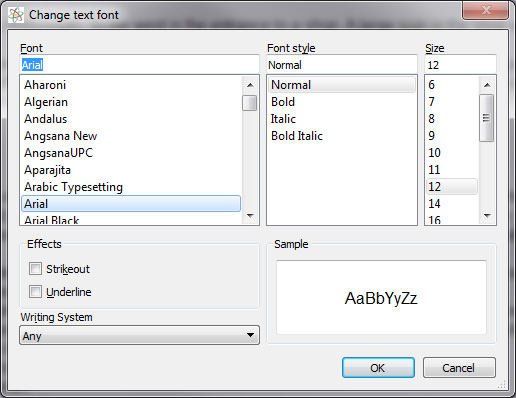
Some of the displays that Fed2 generates which have text in columns will only line up properly if you use a fixed pitch font such as courier, but you may choose to put up with that in order to use a more readable, proportionally spaced font.
