
FEDTERM MANUAL - INTRODUCTION TO FEDTERM
FEDTERM'S FEATURES
FedTerm is quick to download and simple to use. It contains the following features:
- Stores account information for an unlimited number of Fed2 accounts.
- Handles the connection to the game automatically.
- Auto-mapping.
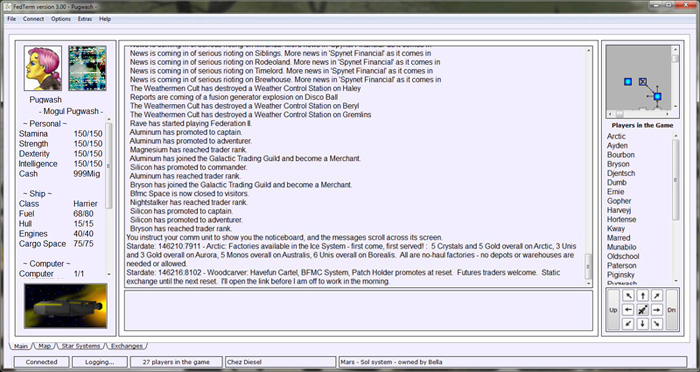
- Text sent by the game is displayed in different panels, making it easier to keep track of what is happening - for example, a list of players in the game, your characters statistics and ship details.
- You can add your own picture for your Fed2 character, and swap pictures with other players to display their pictures.
- A system display page lets you see information about your own planet or those owned by other people. You can also add a picture of your planet and swap it with other players.
- An exchange page shows you prices for the exchange you are in will buy and sell with a mouse-click.
- Friends Alert tells you when one of your friends logs on.
- You can store commands on function keys, and have commands automatically sent to the game when you log on.
- Movement commands can be generated using the keypad or by clicking on movement arrows.
- Auto-logging - you can choose to have FedTerm automatically start a log file whenever you log into the game.
Next page in Introduction section
Previous page in Introduction section
